|
Labels and Databases has the ability to create, work with, and save databases. You can also sort a database, import and export data from text delimited files. Labels and Databases databases are manipulated through the use of selected items in various pull-down menus and the use of the Database View. Database View appears when you switch to Database in the main window and create a new, or open an existing database.
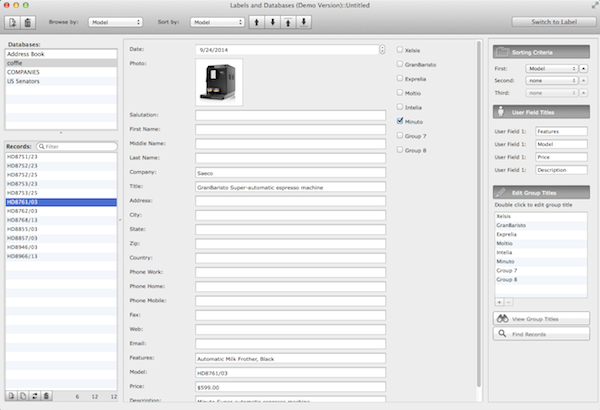
The document window consists of:
The Toolbar Area,
Databases List, on the left top of the window,
Database Browser (database records list), on the left bottom of the window, the workspace that you use to modify the currently active record,
Database Record View with database fields,
Database Properties (on the right):
- Sorting Properties with three sorting criteria,
- User Field titles palette,/li>
- Edit Group Titles palette,
- View Groups palette,
- Find Properties.
|

