|
The PDF Image Extractor is a tool that allows you to extract raster
images from single or multiple PDF files, preview them, add custom image effects
if necessary, and save either all of them, or just selected ones to the desired location and file format.
The product's intuitive interface allows you to accomplish your task in just a few steps:
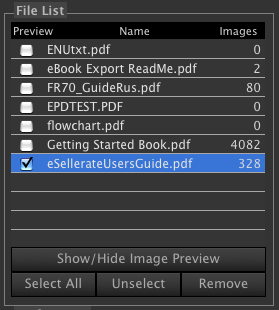
1. Open one or more PDF file(s), or just drag them to the filelist. Click on the Preview
check box on the left of the file name to add the images to the Preview Area:
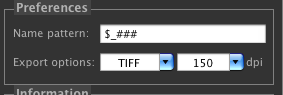
2. Set the Export Preferences, or use the default ones
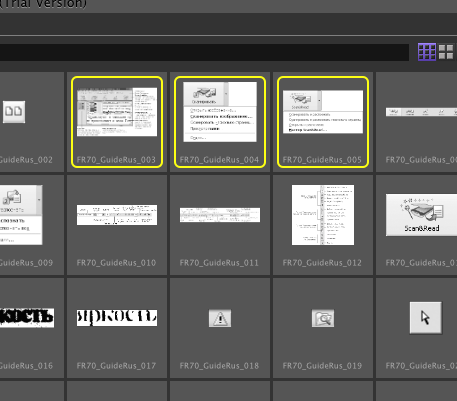
 3. Select one or more images in the Preview Area by clicking (Shift clicking) on them,
 4. Click one of the export buttons on the toolbar,

Main Features:
Easy and intuitive interface,
multiple PDF files processing,
PDF file information display,
Apply image effects
- Brightness,
- Saturation,
- Contrast,
- Gamma, and
- Hue
Export images to SGI, 8BPS (Photoshop), BMP, JPEG, PNG, PNTG, GIF, TIFF and other image formats
export files in mac 'ICNS' format,
Customizable image Preview size,
Rotate all or selected images,
Flip all or selected images vertically and horizontally,
and more...
|

