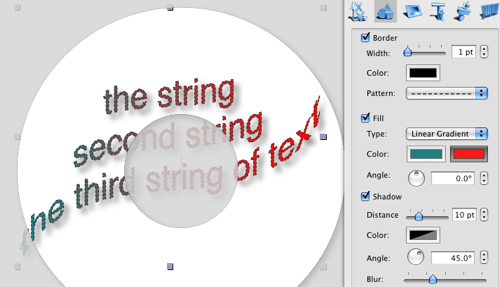
Power Text Tool
The Mac CD/DVD Label Maker allows adding 2D effects (set stroke, fill, shadow colors, shadow distance, blur atc), and also the glyph transformation (geometric deformation of characteds of the text)
To start with this feature you need to add a usual text box to your label, and switch to the Text info panel of the Object Information panel.
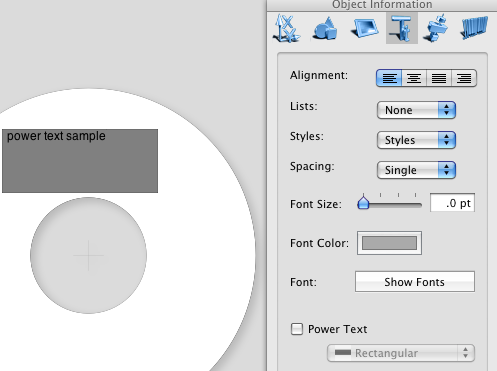
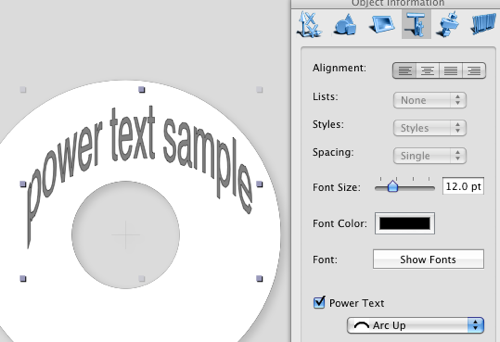
just check the Power Text check bo, and select the desired effect then. You may als want to resize the text box, click on the Object tool, or just click on the label outside of any objects (which switches to the Object tool also), and resize your box.
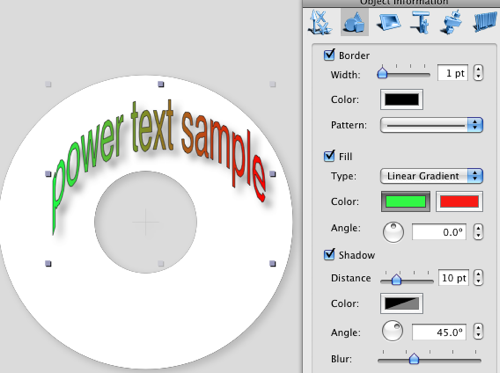
switching to the Graphics tab of the Object Information panel allow you to set the power text all the attributes, usually applied to the object box.
Add one or more strings to your object. While the Text Tool is on, set the Center alignment to your text:
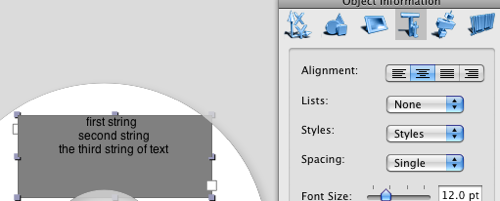
then turn it to the Power Tex, and add colors and shadow.